Aert Medical Aert Medical

What Makes the Best Medical Grade Ambulance Computer?

Time:2026-09-14 Author:Charlotte
0%

An ambulance computer is more than a compact workstation on wheels. It becomes part of a fast, demanding clinical environment. Paramedics may use it beside a vibrating stretcher, under harsh daylight, or during a quiet overnight transfer. Every second matters, but reliability matters more.

What makes a computing platform "medical-grade" for ambulances? The answer combines rugged hardware, stable performance, clear displays, and dependable connectivity. A suitable system should tolerate vibration, dust, temperature changes, and frequent cleaning. Its screen must remain readable through glare and movement. Its processor should handle electronic patient records, navigation, imaging, and communication without frustrating delays. Ports and mounting systems also deserve attention. Small failures create large disruptions.

Experience often reveals what brochures miss. A computer may pass laboratory testing yet feel awkward when gloves cover the operator’s hands. A bright display can still distract a driver at night. Wireless connections may weaken near buildings, tunnels, or dense equipment. These details require field evaluation, not assumptions. No platform is perfect. Even experienced procurement teams can overlook cable routing, service access, or battery behavior during long shifts.

The best ambulance computer supports clinical judgment without competing for attention. It should protect data through sensible access controls and dependable system management. It should also offer long-term support, documented testing, and responsive technical service. Buyers should compare real deployment conditions, not only specifications. A carefully chosen platform helps crews document accurately, communicate clearly, and remain focused on patient care when the vehicle never stops moving.
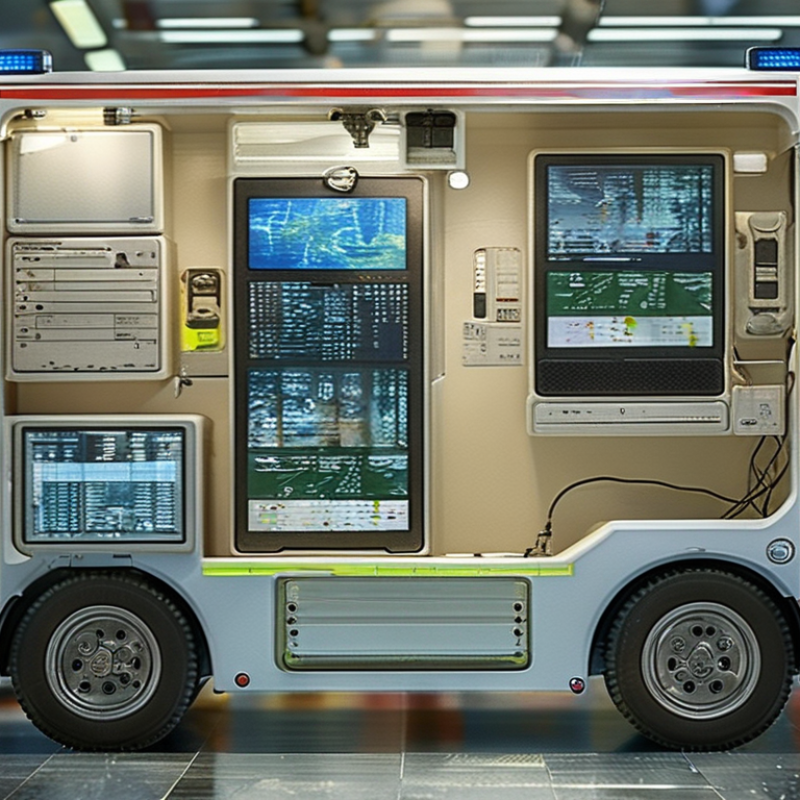
What Makes the Best Medical Grade Ambulance Computer?

Medical-Grade Ambulance Computers: Definition and Core Purpose

What Makes the Best Medical Grade Ambulance Computer?

A medical-grade ambulance computer is a rugged clinical workstation designed for care during transport. It supports documentation, dispatch, electronic records, imaging, and secure communication. Unlike an office laptop, it must tolerate vibration, sudden braking, dust, moisture, and repeated disinfection. Its core purpose is simple: keep accurate clinical information available when seconds matter.

The term “medical-grade” should reflect intended use, documented testing, and regulatory expectations. In practice, crews need readable screens under harsh daylight and stable operation inside a moving vehicle. Touch controls should work with gloves, while mounts must remain secure over uneven roads. A sealed enclosure reduces cleaning concerns, but it does not remove them. Materials should resist approved disinfectants and undergo testing for temperature changes, vibration, electrical safety, and electromagnetic compatibility. Not every design succeeds.

Reliability includes details people often notice too late. A bright display can still distract a driver. A powerful processor may create excess heat. Wireless connectivity can fail in tunnels or rural areas. Good design plans for these moments with offline workflows, fast recovery, readable alerts, and serviceable components. No computer is perfect. Field feedback should shape future revisions, because real ambulances reveal weaknesses that laboratory tests may miss. Crew experience remains essential when evaluating comfort, workflow, and long-term dependability.

Essential Hardware Features for Emergency Medical Use

What Makes the Best Medical Grade Ambulance Computer?

Essential Hardware Features for Emergency Medical Use

In ambulance care, hardware must support decisions made inside moving, noisy vehicles. The computer should remain readable under harsh sunlight and dim cabin lighting. A high-brightness display, anti-glare glass, and adjustable dimming reduce eye strain. Glove-friendly capacitive touch is useful, but physical buttons still matter during jolts. That detail is often missed.

A sealed, fanless enclosure helps resist dust, splashes, and biological contamination. Rounded edges simplify cleaning between calls. The housing should tolerate vibration, sudden braking, and repeated transport. Shock testing matters more than impressive specifications on paper. Stable power is equally important. Ambulance voltage can fluctuate during engine starts or accessory changes. A protected input, secure docking connector, and swappable battery prevent avoidable interruptions.

Battery status should remain visible when clinicians are treating patients. Ports need protective covers, yet they must remain accessible with gloves. Fast wireless connectivity supports records, imaging, and remote consultation, but offline access remains essential. Networks fail. The device should cache critical data securely and synchronize later.

For clinical reliability, choose encrypted storage, secure boot, and controlled user access. A responsive processor, sufficient memory, and bright status indicators reduce delays. I have seen teams choose maximum performance, then struggle with heat and battery drain. Moderate specifications may serve better in a sealed vehicle.

No design is perfect. Maintenance teams also need replaceable components, clear diagnostics, and long-term parts availability. Testing the computer inside a moving ambulance reveals weaknesses that laboratory demonstrations can hide.

Durability, Hygiene, and Safety in Ambulance Environments

What Makes the Best Medical Grade Ambulance Computer?

Durability, Hygiene, and Safety in Ambulance Environments

An ambulance computer must tolerate vibration, sudden braking, moisture, and repeated handling. Its enclosure should resist drops, dust, and cleaning chemicals used between patients. A sealed keyboard helps prevent fluid entry. Bright displays remain readable under daylight and low cabin lighting. Controls should work with gloved hands, even during urgent care.

Hygiene needs equal attention. Smooth surfaces reduce hidden dirt around buttons and ports. Devices should support frequent disinfection without cracking, fading, or losing touch sensitivity. However, no computer is truly indestructible. Small seams can collect residue, and rushed cleaning may leave areas untouched. That practical weakness deserves regular inspection, not wishful thinking.

Tips: Choose wipe-resistant materials, sealed connectors, and secure vehicle mounts. Check the computer after every harsh shift. Train crews to clean high-touch areas, including handles, screens, and keyboards. Test brightness and touch response while wearing gloves. Keep charging cables controlled; loose cables can interfere with movement or emergency equipment. Safety improves when the computer stays stable during turns and collisions. It should not block medical bags, access to the patient, or the driver’s view. A reliable design supports care quietly, without demanding attention at the worst moment.

Connectivity, Data Security, and Clinical Software Integration

What Makes the Best Medical Grade Ambulance Computer?

In ambulance care, connectivity must survive movement, noise, and changing signal strength. A reliable computer can switch between cellular networks, Wi-Fi, and secure offline access. A weak signal should not stop patient documentation. The device should store essential records safely, then synchronize after reconnection. This matters during transfers, rural calls, and crowded emergency departments. Gloved clinicians also need bright screens, responsive touch controls, and ports that withstand frequent cleaning.

Data security requires more than a login screen. Medical-grade systems should use encryption, role-based access, automatic locking, and detailed audit logs. Patient data should remain protected during transmission and temporary offline storage. Secure remote management can support updates without removing the computer from service. Yet no deployment is perfect. Poor password habits, delayed updates, or unclear permissions can still create risks. Regular staff training remains necessary.

Tips: Test connectivity on real routes, not only inside the hospital. Check whether clinical software supports barcode scanning, electronic forms, vital-sign devices, and approved health-record standards. Keep the workflow simple. A clinician should record blood pressure, allergies, and treatment details without repeated data entry. Software integration must also allow accurate time stamps and clear handover notes. Small interface problems can become serious delays in a moving vehicle.

How to Evaluate and Select the Best Ambulance Computer

What Makes the Best Medical Grade Ambulance Computer?

How to Evaluate and Select the Best Ambulance Computer

Selecting the best ambulance computer begins with real crew workflows, not attractive specifications. Paramedics often work in moving vehicles, wearing gloves, under bright sunlight, and beside unstable equipment. The World Health Organization’s Global Status Report on Road Safety 2023 estimates 1.19 million annual road deaths worldwide. That matters. A computer must remain readable and usable during sudden braking, vibration, heat, and rain.

Evaluate the display first. Look for high brightness, glove-compatible touch control, physical shortcut keys, and strong viewing angles. Test it inside an actual ambulance, not only in a showroom. Check boot time, battery endurance, vehicle power compatibility, and secure mounting. Standards such as EN 1789, IEC 60601-1, and MIL-STD-810H may support evaluation, but they do not guarantee field performance. Ask for test evidence. Marketing language is not evidence.

Security deserves equal attention. The 2024 Cost of a Data Breach Report places the average healthcare breach cost at 9.77 million dollars. Choose encrypted storage, role-based access, rapid patching, remote device management, and reliable authentication. Test offline chart access before purchase. Connectivity can fail. My first checklist focused too heavily on processor speed. That was a mistake. A slightly slower computer with better mounting, battery stability, and service support may protect patient care more effectively. Include paramedics in trials, record failures, and revise the requirements after real shifts.

What Makes the Best Medical Grade Ambulance Computer? - How to Evaluate and Select the Best Ambulance Computer

Evaluation Dimension Minimum Acceptable Level Preferred Specification Why It Matters in an Ambulance How to Validate
Display Size and Resolution 12–14 inch display with at least 1920 × 1080 resolution 14–15 inch full HD or higher display with an anti-glare surface Supports readable electronic patient-care reports, medical images, and dispatch information in a confined cabin. Check text clarity, viewing angles, and readability under direct sunlight and low-light conditions.
Brightness and Touch Operation At least 500 nits with capacitive touch support 800–1,000 nits, glove-compatible and wet-finger touch operation Allows clinicians to operate the computer while wearing medical gloves and working in changing light conditions. Test with nitrile gloves, damp fingers, screen protectors, and bright cabin lighting.
Processing Performance Modern low-power quad-core processor Low-power processor with hardware support for secure video, mapping, and clinical applications Provides responsive access to electronic health records, navigation, telemedicine, and dispatch systems without excessive heat. Run the intended software suite simultaneously and measure response time during simulated callouts.
Memory and Storage 8 GB RAM and 256 GB solid-state storage 16 GB RAM and 512 GB or larger industrial solid-state storage Improves multitasking and reduces the risk of failure associated with moving mechanical storage components. Confirm upgrade or replacement options, storage encryption, and available capacity after operating-system installation.
Ruggedness and Vibration Resistance Rugged enclosure with documented vibration and shock testing Compliance with applicable portions of MIL-STD-810 or an equivalent independent test program Ambulances experience road vibration, sudden braking, equipment movement, and accidental impacts. Request test reports and verify mounting hardware through vehicle-based vibration trials.
Ingress Protection At least IP54 for dust and water resistance IP65 or higher for the main enclosure, with sealed ports or protective covers Helps protect the computer from dust, splashes, cleaning fluids, and accidental liquid exposure. Review the exact IP test scope and inspect port covers, seams, connectors, and mounting interfaces.
Disinfection Compatibility Housing compatible with commonly used hospital disinfectant wipes Published compatibility list covering alcohol, quaternary ammonium, and hydrogen-peroxide-based products Frequent cleaning is essential for infection-control procedures between patients and shifts. Compare the manufacturer’s chemical-resistance documentation with the ambulance service’s approved cleaning agents.
Operating Temperature At least 0°C to 40°C operating range Approximately −20°C to 60°C operating range, subject to the final installation environment Vehicles may be parked in hot sunlight or cold weather before the crew begins a response. Verify the rated range for the complete system, including battery, display, storage, and vehicle mount.
Power Input and Protection Support for the ambulance’s nominal DC electrical system with over-voltage protection Wide-range DC input, ignition control, surge protection, and a tested vehicle power adapter Vehicle voltage can fluctuate during engine starts, radio transmissions, and connection of emergency equipment. Review electrical specifications and test startup, shutdown, sleep, and recovery behavior in the installed vehicle.
Wireless Connectivity Dual-band Wi-Fi and Bluetooth Wi-Fi 6 or later, Bluetooth 5 or later, and secure cellular connectivity where required Maintains access to dispatch, electronic records, GPS, peripheral devices, and remote clinical support. Measure connection stability inside the vehicle and during movement across areas with varying network coverage.
Mounting and Ergonomics Secure vehicle mount with adjustable viewing angle Lockable quick-release mount with cable management and one-handed adjustment Reduces distraction and prevents the computer from becoming a loose object during emergency driving. Evaluate reach, visibility, release force, locking security, and interference with medical equipment.
Battery and Power Continuity Battery backup sufficient for short vehicle-power interruptions Hot-swappable or field-replaceable battery with a documented runtime of at least 4 hours under typical use Preserves documentation and communication when the computer is removed from its dock or vehicle power is interrupted. Test runtime using realistic brightness, wireless connectivity, mapping, and clinical software workloads.
Data Security Full-disk encryption, secure user authentication, and automatic screen locking TPM-based security, secure boot, centralized device management, and remote-wipe capability Protects personally identifiable and protected health information if the device is lost, stolen, or accessed without authorization. Confirm security controls with the organization’s IT and privacy requirements before deployment.
Ports and Peripheral Support At least two USB ports, video output, and audio connectivity Sealed high-speed ports, Ethernet or docking connectivity, serial support where required, and configurable expansion Enables connection to printers, scanners, diagnostic devices, monitors, and vehicle systems. Create a complete peripheral list and verify simultaneous operation without cable strain or port obstruction.
Regulatory and Safety Documentation Applicable electrical, electromagnetic-compatibility, and radio approvals for the deployment region Complete declarations, test reports, installation guidance, and documentation for the exact computer configuration Reduces compliance risk and helps prevent interference with radios, monitoring equipment, and other onboard systems. Request current documentation and have the proposed installation reviewed by the organization’s safety and compliance teams.
Service Life and Support Three-year warranty with repair or replacement procedures Five-year availability commitment, spare parts, predictable operating-system support, and defined repair turnaround Ambulance fleets require consistent hardware and software support to avoid downtime and repeated configuration work. Review service-level terms, repair logistics, spare-battery availability, and software-update policy.

Selection note: The preferred specifications are practical target values for many ambulance deployments. Final requirements should be confirmed against the vehicle design, clinical workflow, local regulations, approved disinfectants, cybersecurity policy, and installed medical equipment.

FAQS

What is a medical-grade ambulance computer?

It is a rugged clinical workstation built for patient care during transport. It supports records, dispatch, imaging, documentation, and secure communication. It must handle vibration, braking, dust, moisture, and frequent disinfection.

What conditions should the computer withstand?

It should remain stable on uneven roads and during sudden stops. Testing should cover temperature changes, vibration, electrical safety, and electromagnetic compatibility. Real ambulance routes may expose weaknesses that laboratories miss.

How should the display and controls support clinicians?

The screen should remain readable under strong daylight. Touch controls should respond to gloved fingers. Alerts must be clear without distracting the driver. Bright is not always better.

What happens when network coverage disappears?

The computer should provide secure offline access for essential documentation. It can store records safely and synchronize after reconnection. This matters in tunnels, rural areas, and crowded emergency departments.

How can patient information remain protected?

Security should include encryption, role-based access, automatic locking, and audit logs. Temporary offline records also need protection. Weak passwords and delayed updates can still create risks.

Which clinical software features are useful?

Useful systems support electronic forms, barcode scanning, vital-sign devices, and approved health-record standards. They should record accurate timestamps and clear handover notes. Repeated data entry wastes valuable time.

How should connectivity be evaluated before deployment?

Test the computer on real ambulance routes, not only inside a hospital. Check cellular coverage, Wi-Fi changes, offline access, and reconnection speed. A quiet test environment can give false confidence.

What physical design details affect daily reliability?

Sealed enclosures can simplify cleaning, but they do not eliminate cleaning work. Materials should resist approved disinfectants and repeated handling. Secure mounts, serviceable parts, and controlled heat also matter.

Why is staff feedback important?

Crew members notice discomfort, slow controls, and workflow problems quickly. Their feedback should guide future revisions. No system is perfect. Small flaws can become serious delays.

Conclusion

The best medical-grade ambulance computer is designed to support reliable clinical work in demanding emergency environments. What makes a computing platform "medical-grade" for ambulances? It combines strong processing performance, a clear and responsive display, efficient power management, and flexible mounting options with protection against vibration, impact, dust, moisture, temperature changes, and frequent cleaning. Its design should also promote hygiene, safe operation, and easy access for medical teams working under pressure.

A dependable ambulance computer must provide stable wireless connectivity, secure data handling, and compatibility with electronic health records, dispatch systems, diagnostic devices, and other clinical software. It should support encrypted communication, user authentication, regular updates, and dependable operation when network coverage changes. When evaluating options, organizations should consider durability testing, usability, installation requirements, lifecycle support, maintenance, total cost of ownership, and compliance with applicable healthcare and transportation standards. The right platform improves information access, communication, documentation, and decision-making throughout patient care.

Charlotte

Charlotte

Charlotte is a seasoned marketing professional with a deep understanding of the company's portfolio and a passion for elevating its presence in the market. With a keen eye for detail and a commitment to excellence, she ensures that our professional blog is regularly updated with insightful articles......